Imagine you have a team site that provides curated information. Only a few people are allowed to update the content. The rest of the people only have view permission. To spread the word you like to make use of the Newsfeed web part for two reasons. People who follow this page will get updates on their Newsfeed. The other reason is that the viewers should be able to give feedback to your updates. Seem to be a pretty good solution and this is what the Newsfeed web part is actually being made more.
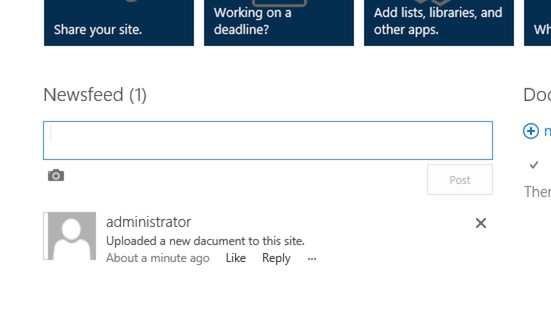
Newsfeed web part
The problem is that this web part is by design only for users that have at least contribute permission. With some simple steps this behaviour can be changed and allow everyone reply to the Newsfeed.
First, let’s take a look where the data of the Newsfeed will be stored. ## The Newsfeed web part and the stored data
Whenever a new entry or a reply to the Newsfeed will be adding the content is stored in a list named “Microfeed”. I’m not sure why this list is visible to anyone. The data stored there are not readable for an end user.
As expected the Microfeed list inherits the permissions from the website. This means that this is the reason why user that have less permission than contribute are not allowed to add comments to the Newsfeed.
Create permission level for viewers
To allow a normal viewer to add comments and new entries I would recommend to create a separate permission level for the visitors. This gives you better control over the permission and you will be able to disallow the normal visitor to delete posts or replies for example. To add a permission level go to the root of the site collection and navigate to the site permissions.
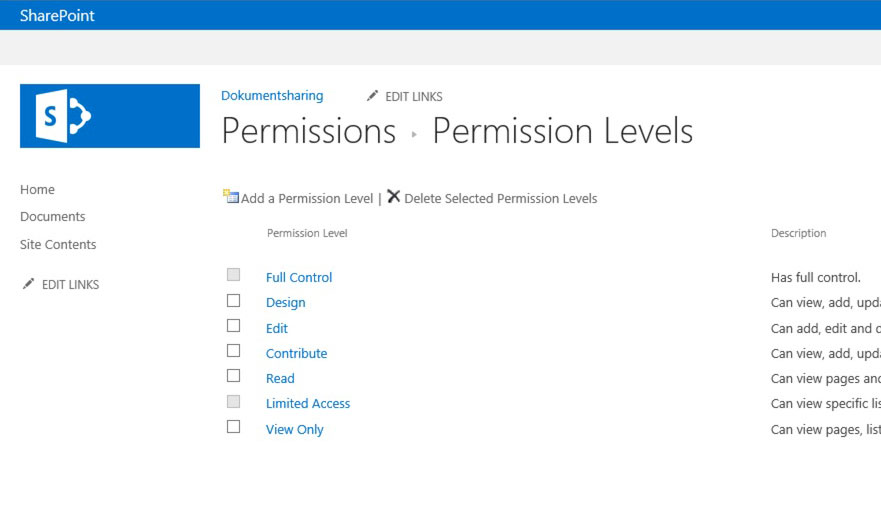
Step 1 – create permission level
In the ribbon you will find on the left end the configuration for permission levels. Now I would recommend you to use the “contribute” permission level as a starting point for further customisation.
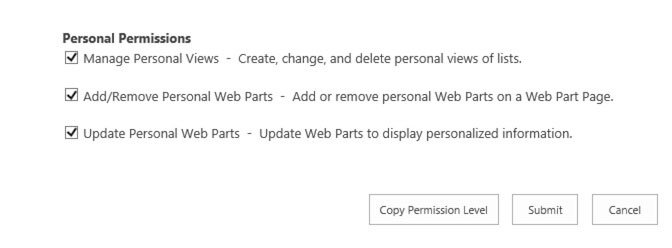
Step 2 – Copy permission level
To copy the “contribute” permission level you need to navigate to the bottom of the page. There you will find the “copy permission level” button.
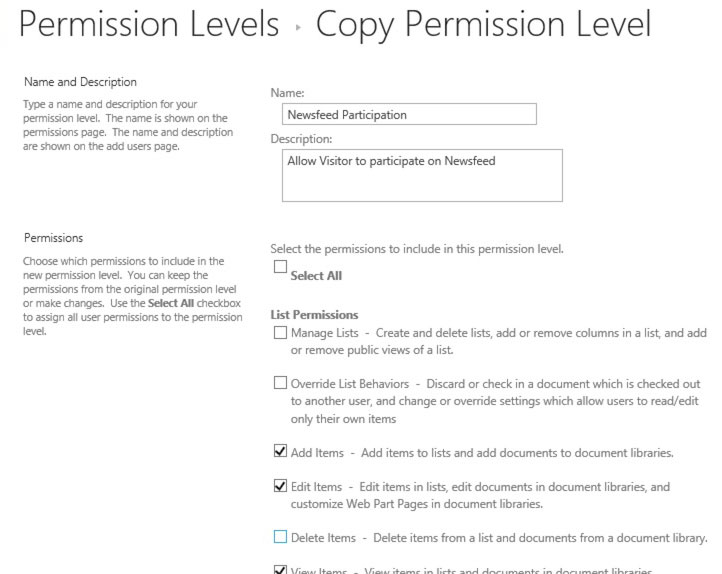
Step 3 Select Base Permissions
Define a name and you are ready to customise the permission. In my case I named the new permission level “Newsfeed Participation”. The least customisation I would suggest to do is to uncheck the “Delete item” permission. Otherwise, every visitor that is able to browse to the list “MicroFeed” will be able to delete existing entries in the list.
Save the permission level you are ready to allow visitors to add entries to the Newsfeed.
Assign permission levels to visitors in MicroFeed list
To make use of the newly created permission level navigation to the MicroFeed list permissions. Stop the inheritance of permissions, edit the Visitors group and assign the “Newsfeed participation”permission level.
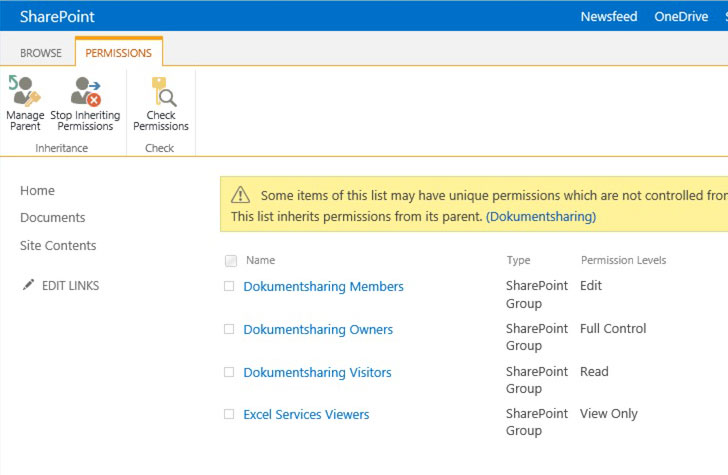
Step 4 – Change permission inheritance
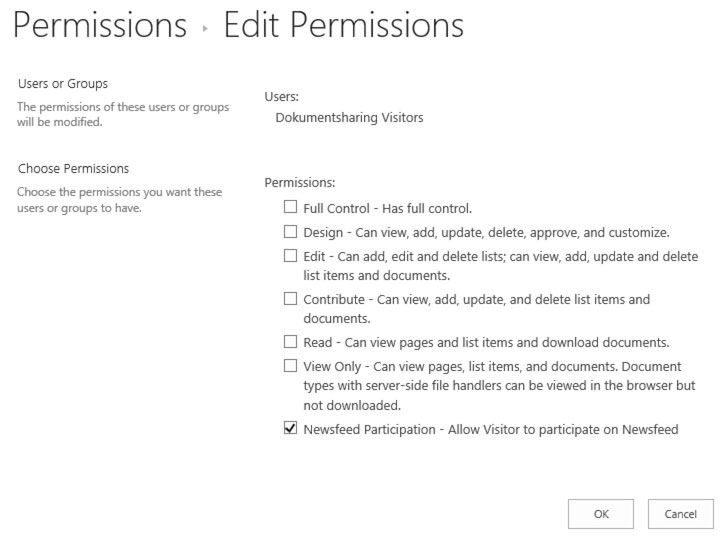
Step 5 – Assign participants right
Now the next time a visitor tries to like a reply a Newsfeed item the user has the appropriate permission.
Conclusion
The design of the Newsfeed is to increase the team internal communication, but is not considered to used in intranet scenarios. Especially when you a large amount of the content is read-only.
With this little permission tweak the Newsfeed can use even on read-only areas of a portal or intranet. If you like to use the Newsfeed web part on sub websites too. This permission change needs to re-applied again.
This will allow visitors to have add permission in other lists also, isn’t it?
No this is just for display the newsfeed for user that only have view permission.